Designing Dreamy Nuptials: White Wedding Scene Creator
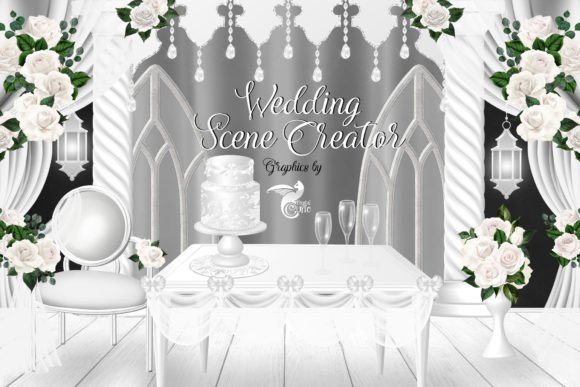
When you are building a visual narrative for a wedding-themed project, the challenge often lies in sourcing assets that feel cohesive yet distinct. You need elements that tell a story without overshadowing the text or the focal point of your design. This is where the White Wedding Scene Creator steps in, offering a versatile collection of digital clipart graphics that solve the puzzle of creating elegant, customizable scenes. Unlike a standard font file or a static background, this set provides the architectural and floral building blocks needed to construct a complete visual environment.
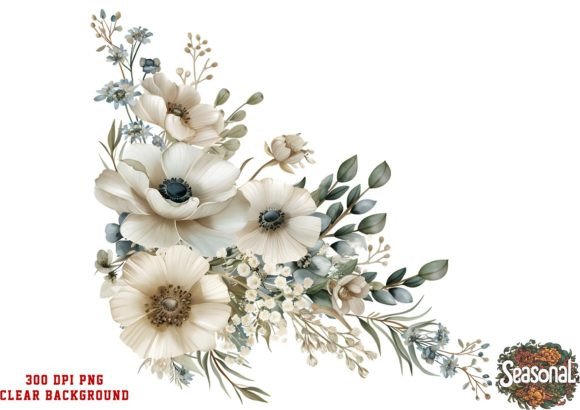
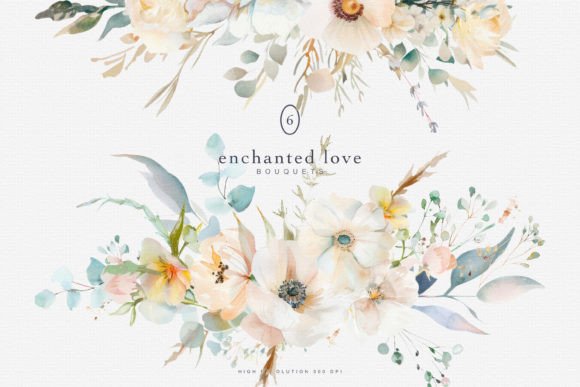
The set includes 52 separate, individual images in PNG format, all featuring transparent backgrounds. This specific technical specification is crucial for designers. It means you are not limited to rectangular blocks of color; you can layer these elements over watercolor washes, textured paper, or photography to create depth. The imagery covers a wide range of wedding essentials: tiered cakes, ornate tables, structural columns, lush bouquets, balloon arches, and more. The visual style leans toward a clean, modern aesthetic, making it a perfect complement to contemporary typography choices, whether you prefer a delicate script font or a bold sans serif font.
Strategic Applications for Modern Creators
The versatility of the White Wedding Scene Creator extends far beyond simple scrapbooking. For the modern content creator or entrepreneur, these assets serve as functional tools for brand identity and marketing materials. Consider the needs of a wedding planner’s website: rather than using generic stock photography, you can create custom headers using these layered graphics to illustrate specific venue styles or theme concepts. Because the images are 300 dpi resolution, they are high-quality enough for both web design and print design, ensuring your visuals remain crisp on everything from a mobile screen to a printed brochure.
Here are practical ways to integrate these graphics into your workflow:
- Social Media Graphics: Use the balloon arches and bouquets to frame Instagram stories or Pinterest pins. This creates a consistent visual language that aids in audience recognition without requiring a new photoshoot for every post.
- Invitation Design: For graphic designers specializing in stationery, these elements allow for rapid prototyping. You can mix and match columns and cakes to show clients different layout options for their editorial design needs.
- Logo Design and Packaging Design: While the graphics are detailed, elements like the columns or a stylized bouquet can be simplified or used as secondary brand marks for bakeries, florists, or event venues.
The "personality" of these assets is undeniably romantic and airy. They work best when paired with modern typography that doesn't fight for attention. A common mistake in creative design is combining overly ornate imagery with an overly ornate display font. Instead, balance the intricate details of the clipart with a clean serif font or a geometric sans serif font to maintain readability and visual hierarchy.
Building Professional Consistency and Brand Perception
In the world of digital marketing, consistency is the currency of trust. When a user visits your blog or social media profile, they form an opinion about your professionalism within seconds. Using the White Wedding Scene Creator allows you to maintain a specific aesthetic across all platforms. This consistency influences brand perception, signaling to your audience that you pay attention to detail—a vital trait in the wedding industry.
Furthermore, the use of these high-resolution assets impacts audience engagement. Visual clutter can drive users away, but well-composed scenes guide the eye. By using the transparent PNGs to create "visual anchors," you can direct the viewer's attention to your call-to-action or key text. For instance, placing a table graphic on one side of a layout naturally balances the text on the other, creating a harmonious reading experience.
When selecting your design assets, consider the following to ensure they align with your brand identity:
- Evaluate Project Fit: Does the style of the clipart match the tone of your specific project? If you are designing for a rustic barn wedding, check if the "ornate" elements fit or if you need to rely more heavily on the natural textures.
- Test Font Pairings: Experiment with different font pairings before finalizing a design. Try a handwritten font for accents and a premium font for body text to see how they interact with the graphical elements.
- Commercial Licensing: Always verify the licensing. For small business owners and designers, ensuring that your commercial font and graphic usage rights are clear protects you legally and allows for client work without hesitation.
Ultimately, the White Wedding Scene Creator is more than just a collection of images; it is a toolkit for visual storytelling. Whether you are a blogger looking to embellish a post, a marketer designing a campaign, or a hobbyist