Wedding Clipart Bride with Bridesmaids: A Designer's Go-To Asset
When you're deep in the middle of a wedding-themed project, finding visual elements that feel cohesive, elegant, and genuinely useful can be a real challenge. You need assets that work across different formats, look professional in print and digital, and don't require hours of editing to fit into your layout. That's exactly where the Wedding Clipart Bride with Bridesmaids collection comes in. This isn't just a random assortment of images—it's a carefully curated set designed to save time, elevate your work, and give you the flexibility to create without constant tweaking.
What Makes This Clipart Collection Stand Out
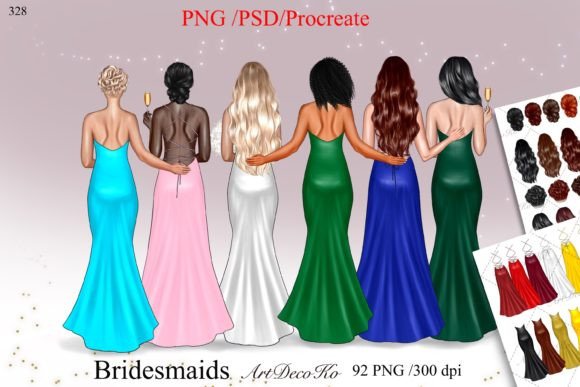
At its core, this collection offers 92 high-quality PNG files with transparent backgrounds, which means you can drop them into virtually any project without worrying about awkward white boxes or mismatched edges. The images range in size from 500x500 pixels for smaller accents up to 1900x3300 pixels for bold, statement-making visuals. Every file is rendered in RGB at 300 dpi, so whether you're designing for screen or print, the clarity holds up.
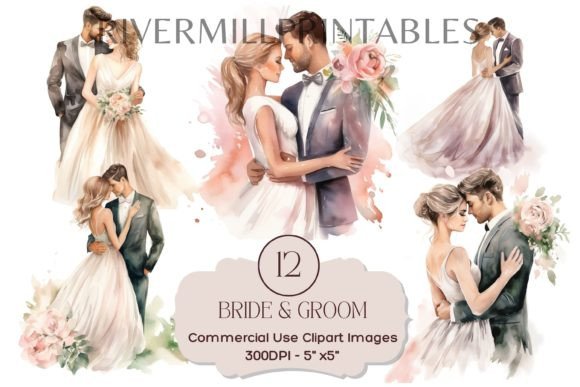
The visual style of the Wedding Clipart Bride with Bridesmaids set leans toward a clean, modern aesthetic with a touch of romantic softness. The bride and bridesmaid illustrations have a polished yet approachable feel—think soft lines, balanced proportions, and a color palette that complements rather than overwhelms. These aren't overly stylized or cartoonish; they sit in that sweet spot between illustrative charm and professional sophistication. The personality is warm, celebratory, and versatile enough to pair with a wide range of design approaches.
Beyond the PNG files, you also get a PSD file for Adobe Photoshop users who want layered editing control, and a Procreate file for iPad-based illustrators who prefer to work in that environment. That kind of cross-platform flexibility is something you don't always see in clipart bundles, and it makes a genuine difference when you're juggling multiple tools or collaborating with other creatives.
Where This Clipart Truly Shines
The real value of Wedding Clipart Bride with Bridesmaids reveals itself when you start thinking about practical applications. For sticker planners, these images are perfect for creating themed planner pages, decorative inserts, or standalone sticker sheets that customers will actually want to use. The transparent PNG format means you can resize, recolor, and arrange them without fighting against background artifacts.
If you're a blogger or content creator in the wedding niche, these assets work beautifully for post headers, social media graphics, Pinterest pins, and sidebar decorations. Instead of relying on the same stock photos everyone else uses, you can build a visual identity that feels distinct. Pair the clipart with a complementary script font or serif font for your headlines, and you've got a cohesive look that reinforces your brand without feeling generic.
For invitation designers and stationers, the collection is particularly useful. You can incorporate the bride and bridesmaid imagery into save-the-dates, bridal shower invitations, wedding programs, and thank-you cards. The larger file sizes—up to 1900x3300 pixels—mean you have enough resolution for professional printing without pixelation or quality loss. This is where having premium design assets really pays off, because the difference between a crisp, well-rendered illustration and a blurry, low-res image is immediately obvious on printed paper.
Small business owners in the wedding industry—planners, florists, photographers, venue owners—can use this clipart to create marketing materials that look polished and intentional. Think menu cards, table numbers, welcome signs, social media templates, and even fabric prints for custom merchandise. The versatility of the set means you're not locked into one aesthetic; you can adapt the imagery to match different client styles, seasonal themes, or brand color schemes.
Compatibility That Keeps Your Workflow Smooth
One of the most practical aspects of this collection is its broad software compatibility. The files work seamlessly with Adobe Photoshop, Adobe Illustrator, Affinity Designer, Affinity Photo, After Effects, Adobe InDesign, Adobe XD, Sketch, and Adobe Photoshop Elements. Whether you're building layouts in InDesign, creating motion graphics in After Effects, or prototyping in XD, the clipart integrates without conversion headaches.
This kind of cross-software support matters more than people realize. If you've ever spent an hour converting file formats or wrestling with compatibility issues, you know how much it disrupts creative momentum. With Wedding Clipart Bride with Bridesmaids, you open the file, drag it into your project, and keep moving. That efficiency adds up, especially when you're working on tight deadlines or managing multiple client projects simultaneously.
How to Evaluate If This Collection Fits Your Project
Before committing to any design asset, it's worth thinking critically about whether it aligns with your specific needs. Start by considering the visual tone of your project. If you're going for a modern, clean aesthetic with romantic undertones, this clipart is a strong match. If your project demands something hyper-realistic or heavily textured, you might need to supplement it with additional elements.
Next, think about your typography choices. Clipart like this pairs well with a range of typefaces—from elegant script fonts for formal invitations to clean sans serif fonts for contemporary blog layouts. The key is to let the illustration style guide your font pairing decisions. A delicate, feminine clipart illustration works best alongside typefaces that echo that softness without competing for attention.
Also consider the scale of your project. With 92 individual images, you have enough variety to maintain visual interest across a full brand system or a multi-page publication without repeating the same element too frequently. That depth is especially valuable for packaging design, editorial design, or any project where you need a consistent visual language across multiple touchpoints.
Practical Tips for Getting the Most Out of These Assets
When you start working with the Wedding Clipart Bride with Bridesmaids files, take a few minutes to organize them by size or subject. Create folders for small, medium, and large files so you can quickly grab the right resolution for each use case. For web design and social media graphics, the smaller files are usually sufficient and will keep your page load times reasonable. For print projects like wall art, cards, or fabric printing, lean toward the larger files to ensure sharp output.
Don't overlook the PSD and Procreate files either. If you want to customize colors, add textures, or blend the clipart into a more complex composition, having access to editable layers gives you far more creative control than working with flat PNGs alone. This is particularly useful for brand identity work, where you might need to match exact color values or integrate the imagery into a larger visual system.
Finally, always double-check the licensing terms for your intended use. Most collections like this are designed for both personal and commercial projects, but it's good practice to confirm that your specific application—whether it's client work, product sales, or digital downloads—is covered. Clear licensing gives you confidence to use the assets freely, which ultimately leads to better, more creative work.
The Wedding Clipart Bride with Bridesmaids collection is one of those resources that quietly becomes indispensable once you start using it. It solves real design problems, saves meaningful time, and gives you the flexibility to create wedding-themed content that looks professional and feels personal. For designers, entrepreneurs, and creators working in the wedding space, it's a practical addition to your toolkit that you'll reach for again and again.